Changing your network name
The name of your WiFi network is called the "SSID", which is used to identify your network from other WiFi networks that are in the range of your device. To change the name of your WiFi network so that you can easily identify it, you will need to sign in to the Cisco configuration page which will allow you to configure various settings related to your WiFi network.
To change your network name:
- Sign in to the Cisco configuration page
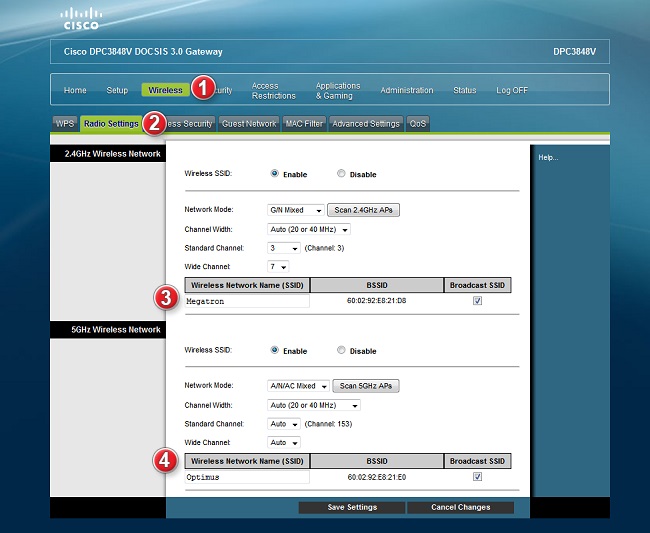
- Select Wireless from the top navigation bar, and then choose Radio Settings
- Underneath Wireless Network Name (SSID) you can enter in your preferred WiFi network name
- If you would like to change the network name for your 5 GHz network, simply perform these steps for the second listed network
- Select Save Settings to save your changes